
Here’s what you usually see in tutorials: you pick your frames, freeze them with FrameHolds, combine them into a dataset using an AppendClip, and then duplicate that whole setup on the right side. Next, you tweak the left side, crop it, strip out any unnecessary channels, and feed it all into CopyCat. It usually looks something like this:
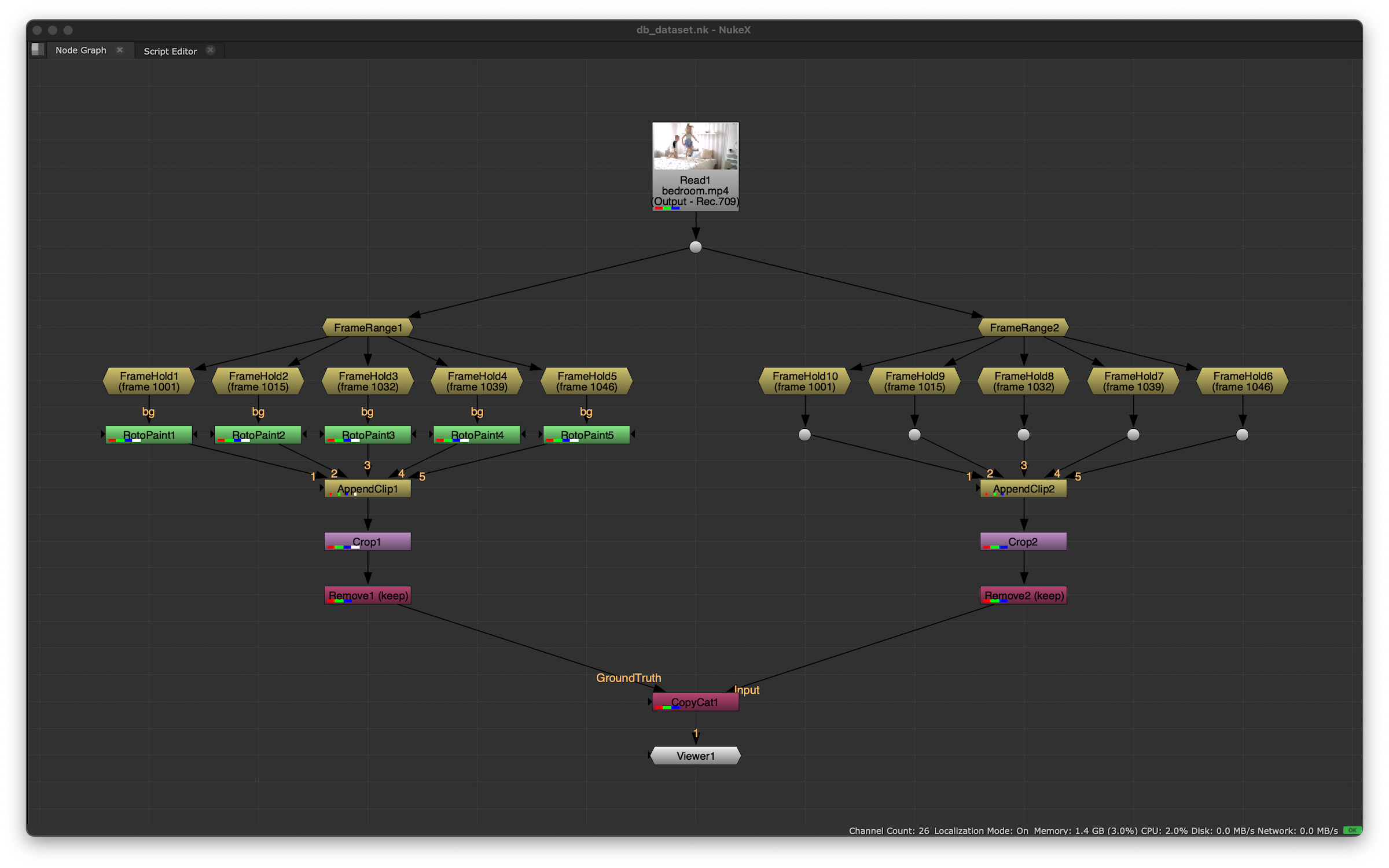
These massive node “fans” are incredibly clunky. They force you into a bunch of redundant steps that distract you from what actually matters: carefully selecting your frames. I needed a tool to get rid of this mess and make life easier. After finding nothing useful on Nukepedia, I decided to build my own — with blackjack and hookers.
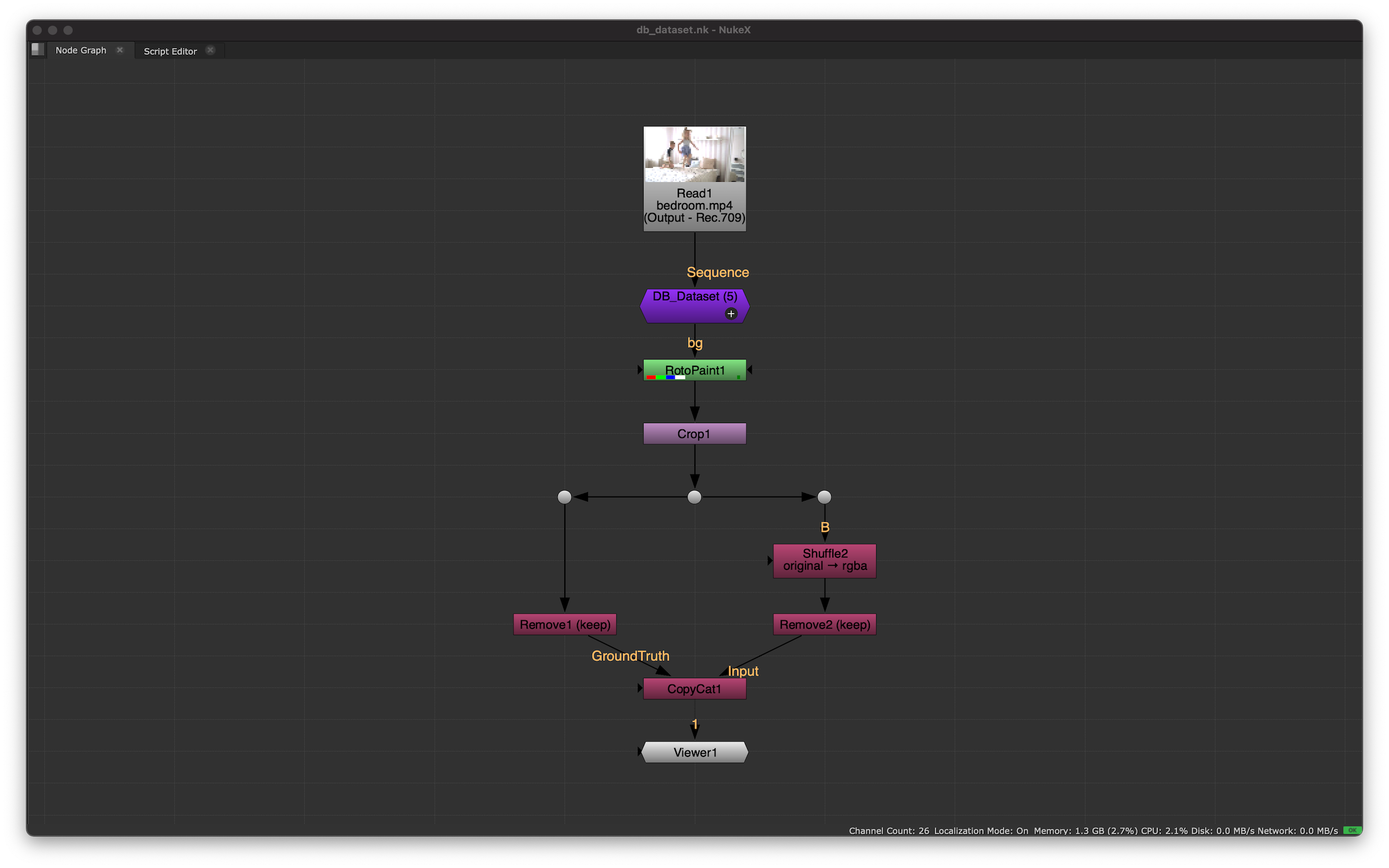
The idea is simple: you select the frames you need with a button click, and they instantly assemble into a dataset on the fly. Being able to remove frames one by one or clear them all at once on the fly was a must, too. Here is what I came up with.

The “Add” button sets a keyframe on the selected frame, “Remove” deletes the key from the current frame, and “Reset” wipes all keyframes. Under the hood, these keyframed frames are compiled into a brand new sequence that gets spit out at the end. Right next to the gizmo’s name, there is a counter showing the total number of selected frames. The checkbox below lets you preserve the original image into a separate layer.
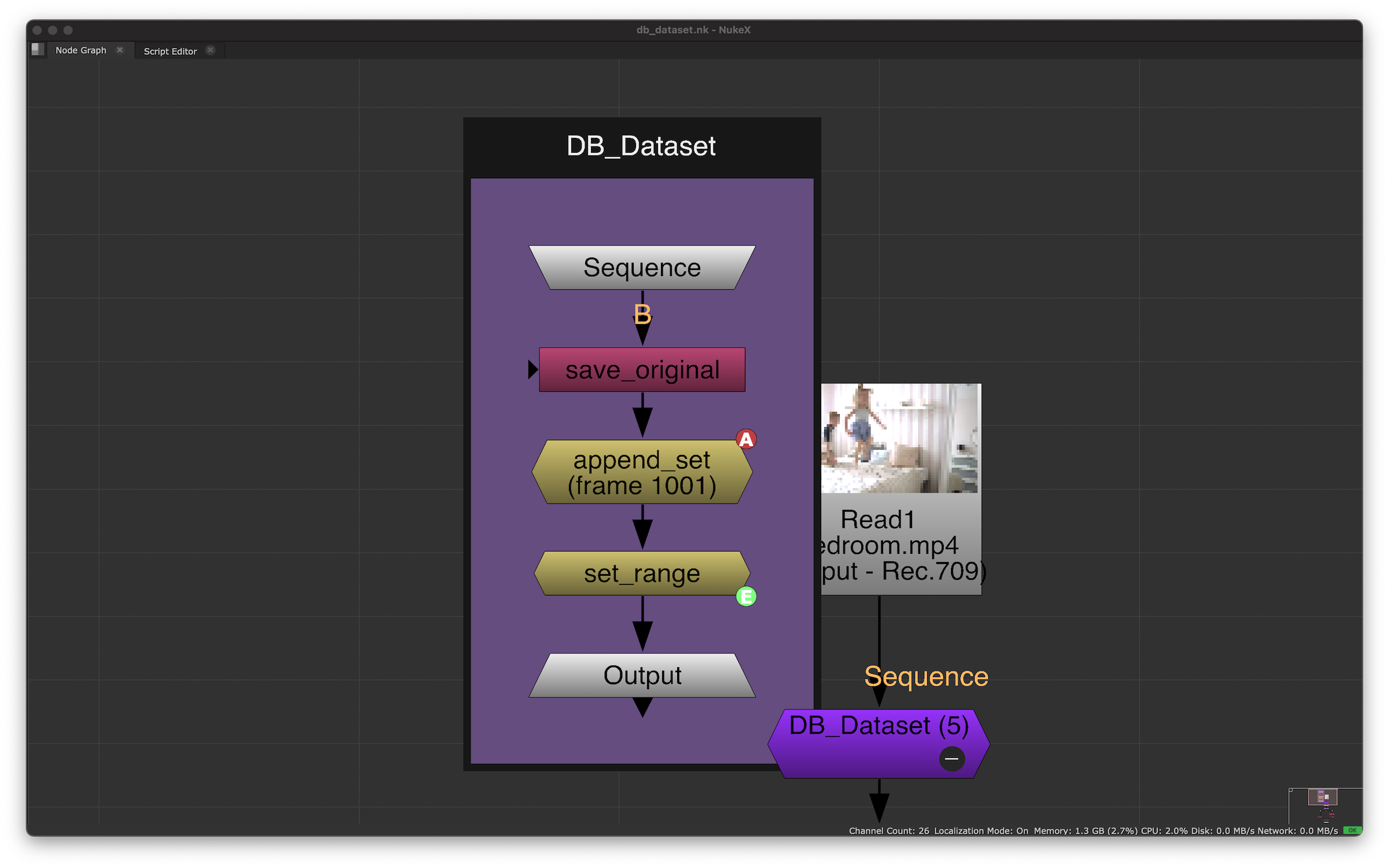
The group turned out to be quite compact with a minimal internal node graph, since the heavy lifting is handled by Python scripts inside the buttons. The first node is a Shuffle named save_original, which preserves the source image and gets muted via the checkbox when not needed. Then, using animation curves, the new sequence is assembled on a FrameHold named append_set, and finally capped off with a FrameRange named set_range. The starting frame number is pulled directly from the project settings.
Download the gizmo from my GitHub.